Kestrel GX โปรแกรมแต่งภาพที่ให้ใช้งานฟรี สำหรับการแต่งภาพ แก้ไข ภาพถ่ายของคุณ
ออกแบบมาให้สามารถใช้งานได้ทั้งมือใหม่ และมืออาชีพ Kestrel GX จะช่วยให้เราสามารถแต่งภาพถ่ายด้วยขั้นตอนง่ายๆ โปรแกรมออกแบบมาให้รองรับไฟล์ภาพมากกว่า 20 แบบ รวมทั้งไฟล์ภาพแบบ RAW จัดเป็นโปรแกรมที่สมบูรณ์ในตัวสำหรับการแต่งภาพ ที่สามารถแบ่งหมวดหมู่ภาพตามกลุ่มได้อย่างดี
หากคุณเป็นมือใหม่ในการแต่งภาพ ไม่ต้องตกใจ ให้โปรแกรมแต่งภาพ Kestrel GX เป็นตัวช่วยของคุณ โปรแกรมออกแบบมาพร้อมเครื่องมือสำหรับการแต่งภาพ เช่นการใส่ลายน้ำ แปลงนามสกุลภาพในรูปแบบต่างๆ สร้างเอกสาร PDF ไฟล์ สร้างแม่แบบการพิมพ์ด้วยตัวคุณเอง และอื่นๆ อีกจำนวนมาก ที่รอรับการทดสอบและการใช้งานจากคุณ
คุณสมบัติของโปรแกรมแต่งภาพ "Kestrel GX":
ดาวโหลด Kestrel GX
รองรับรูปแบบของไฟล์ชนิดต่างๆ มากกว่า 20 ชนิด ได้แก่ (TIFF, GIF, JPG, PCX, BMP, ICO, CUR, PNG, WMF, EMF, TGS, PXM, JP2, J2K, WBMP, PS, PDF, DCX, RAW, BMPRAW and PSD) รวมทั้งหลายรูปแบบของภาพจากกล้องแบบ RAW
· สามารถแปลงไฟล์ภาพเป็นรูปแบบ BMP, GIF, JPG, PCX, PNG, PSD, TGA และ TIFF
· สร้างไฟล์ PDF พร้อมกับภาพของคุณ
· ใส่ลายน้ำป้องกันภาพของคุณด้วยการคลิกเดียวเท่านั้น
· สร้างลายน้ำลิขสิทธิ์ภาพในรูปแบบของคุณเอง
· มาพร้อมเครื่องมือภายในสำหรับการตกแต่งแก้ไขภาพถ่าย เพื่อคุณภาพที่ดีเยี่ยมแบบเป็นขั้นตอน 10 ขั้นตอนง่ายๆ
· รองรับการใช้งานโปรแกรมแต่งภาพค่ายอื่นๆ แบบว่าสามารถใช้งานร่วมกันได้
· ปรับขนาดภาพเป็นพันๆ ภาพด้วยการคลิกเดียวอย่างรวดเร็ว
· พิมพ์ภาพด้วยแม่แบบภายในโปรแกรม หรือแม่แบบที่ออกแบบเอง
· เปลี่ยนชื่อไฟล์ภาพนับพันด้วยการคลิกเดียวอย่างรวดเร็ว
· อ่านและเขียน EXIF ข้อมูลในรูปแบบของไฟล์ JPEG, TIFF และ PSD
· อ่านเขียนไฟล์ IPTC ข้อมูล JPEG และ TIFF
· อ่านค่า GPS ข้อมูลจากไฟล์ภาพ
· ส่งภาพออกเป็น EXIF, IPTC และ GPS
· ย้าย EXIF หรือ IPTC จากภาพของคุณ
· แก้ไข EXIF ข้อมูล รวมทั้งความเร็วซัตเตอร์ แสง เลนส์ และอื่นๆ ..!
· รองรับการใช้งานแบบ multiple databases.
· การค้นหาขั้นสูง ช่วยให้การค้นหาไฟล์ภาพแบบ metadata (EXIF, IPTC and GPS).
· แยกภาพตามกลุ่ม/หมวดหมู่
· แสดงภาพ slideshows.
· เครื่องมือการทำงานที่สมบูรณ์
ความต้องการของระบบ:
· ซีพียู Intel Pentium 4 or better.
· หน่วยความจำ 256 MB RAM (512 MB RAM recommended).
· ความละเอียดหน้าจอ 1024 x 768 pixels screen resolution.
· โปรแกรม Adobe Reader 6.0 or later.
· โปรแกรม Microsoft Internet Explorer 7.0 or later.
มีอะไรใหม่: [ read full changelog ]
· แก้ไขบัก BUG FIXED: Effects windows (User Filter, Bump Map, Lens, Wave and Morphing Filters) ไม่แสดงผลกรณีความละเอียดหน้าจอต่ำ
·สามารถเลือก directory ในการติดตั้งได้
ข้อมูลโปรแกรมภาษาอังกฤษ
A tool that makes it a breeze to manage and edit digital photos!
Designed for both amateur and professional photographers, Kestrel GX will help you edit digital pictures in a few steps. The software supports more than 20 different file formats including several digital cameras RAW. Kestrel GX is a complete workflow tool packed with lots of useful tools for photographers. Tag, rate and save your photos under different categories for blazing fast searches.
New to photo editing? No problem! Kestrel GX powerful built-in photo editor will help you perform quality editing in 10 simple steps! You can also watermark your images, convert them to several formats, create PDF files with your images, create your own printing templates and much much more! If you're looking for a good photo organizer and editor, then Kestrel GX is the right choice for you!
Here are some key features of "Kestrel GX":
· Supports more than 20 different file formats (TIFF, GIF, JPG, PCX, BMP, ICO, CUR, PNG, WMF, EMF, TGS, PXM, JP2, J2K, WBMP, PS, PDF, DCX, RAW, BMPRAW and PSD) including several camera RAW.
· Convert your images to BMP, GIF, JPG, PCX, PNG, PSD, TGA and TIFF format.
· Create PDF files with your images.
· Watermark hundreds or thousands of images with a single click.
· Build your own watermark templates with text and images.
· Built-in powerful photo editor allows you to perform quality editing in 10 simple steps!
· Supports the use of any external photo editor.
· Resize thousands of images with a single click at extremely fast speed.
· Print images using built-in templates or build your own templates.
· Rename thousands of images in just a few seconds.
· Read/Write EXIF information in JPEG, TIFF and PSD files.
· Read/Write IPTC information in JPEG and TIFF files.
· Read GPS information from your photos.
· Export EXIF, IPTC and GPS information to text files.
· Remove EXIF or IPTC information from your photos.
· Edit EXIF information including shutter speed, exposure time, lens aperture, focal length, everything....!
· Supports the use of multiple databases.
· Advanced search engine allows you to search for photos based on metadata (EXIF, IPTC and GPS).
· Rate your photos and organise them using different categories.
· View slideshows.
· Complete workflow tool.
Requirements:
· Intel Pentium 4 or better.
· 256 MB RAM (512 MB RAM recommended).
· 1024 x 768 pixels screen resolution.
· Adobe Reader 6.0 or later.
· Microsoft Internet Explorer 7.0 or later.
Nokia Ovi Suite
Nokia Ovi Suite จาก Nokia: ฟรีโปรแกรมสำหรับผู้ใช้งานมือถือโนเกีย ที่ต้องการโปรแกรมช่วยในการบริหาร จัดการข้อมูล เนื้อหาต่างๆ ระหว่างเครื่องคอมพิวเตอร์ กับมือถือ โนเกียของคุณ เช่นการถ่ายโอนไฟล์ภาพ ข้อมูล การแบ่งปันภาพโดยง่าย เรียกว่าสะดวกทั้งขึ้นและล่อง เอาเป็นว่าหากคุณเป็นเจ้าของมือถือโนเกีย และกำลังต้องการโปรแกรมช่วยในการทำงานระหว่างมือถือเข้ากับคอมพิวเตอร์ของคุณ ให้ Nokia Ovi Suite เป็นผู้ช่วยของคุณ แล้วงานของคุณจะง่ายขึ้นเยอะครับ
Nokia Ovi Suite helps you to organize and share your content effortlessly between your Nokia device and computer. Nokia Ovi Suite also transferring content between your Nokia device and computer is fast and simple with Nokia Ovi Suite., sharing your photos with friends is easy too, as you can swiftly upload them to Ovi, keep your important content up-to-date on your computer and device with one-click syncing, and import your existing photos into Nokia Ovi Suite.
สนใจดาวโหลด Nokia Ovi Suite
Version: 3.1.1
File size: 88.19MB
Date added: October 04, 2011
Price: Free
Operating system: Windows Vista/XP SP 2
Nokia Ovi Suite helps you to organize and share your content effortlessly between your Nokia device and computer. Nokia Ovi Suite also transferring content between your Nokia device and computer is fast and simple with Nokia Ovi Suite., sharing your photos with friends is easy too, as you can swiftly upload them to Ovi, keep your important content up-to-date on your computer and device with one-click syncing, and import your existing photos into Nokia Ovi Suite.
สนใจดาวโหลด Nokia Ovi Suite
Version: 3.1.1
File size: 88.19MB
Date added: October 04, 2011
Price: Free
Operating system: Windows Vista/XP SP 2
ลบไฟล์แบบถาวรด้วย Files Terminator
Files Terminator ลบไฟล์ให้สิ้นซากไปจากคอมพิวเตอร์ของคุณ ด้วย Files Terminator ฟรีแวร์ที่ออกแบบมาสำหรับลบไฟล์ที่มีปัญหาในการลบแบบธรรมาดไม่ได้ แต่ว่าเราต้องการลบให้ได้ สามารถใช้ฟรีแวร์ตัวนี้ Files Terminator ในการจำกัดและลบไฟล์ที่มีปัญหาได้อย่างแน่นอน และแน่นอนว่าไฟล์ทุกชนิดที่เราลบด้วย Files Terminator จะไม่มีทางตกค้างหรือกู้คืนด้วยโปรแกรมกู้คืนไฟล์ต่างๆ ที่มีใช้งานอยู่ในปัจจุบัน เอาเป็นว่าหากคุณต้องการโปรแกรมลบไฟล์ที่มีคุณสมบัติแบบ Files Terminator แล้วละก็สามารถดาวโหลดมาติดตั้งและใช้งานได้ฟรีครับ
การลบไฟล์ที่ตกค้าง ไว้ เช่น Format HDD. คุณคิดว่าข้อมูลหายไปหมด แล้ว แต่จริงๆ ไม่ใช่ ยังสามารถกู้คืนกลับคืนมาด้วย โปรแกรมสำรองหรือ กู้คืนข้อมูล แต่ถ้าใครต้องการบลไฟล์ ออกไปโดยถาวร และไม่ต้องการให้เรียกคืนกลับมา ก็ต้องกำจัดด้วย
ดาวโหลด Files Terminator
ขนาดไฟล์
รองรับ
Version: 2.1.0.4
File size: 1.96MB
Price: Free
Operating system: Windows XP/Vista/7
From Marcello Pietrelli e Gianni Baini:
Files Terminator Free Portable is used to delete files permanently. When you delete a file in reality this is not really deleted from your hard drive, you just made it invisible, so you can retrieve it with specific programs for the recovery of data such as PCI File Recovery , Undelete Plus , Recuva , and many others. The program we propose is designed to make sure the most of our privacy allows you to "finish", that is, to destroy permanently all the sensitive data in our computer that we do not want to go into the wrong hands, making it impossible to recover even with the use of professional software Undelete.
การลบไฟล์ที่ตกค้าง ไว้ เช่น Format HDD. คุณคิดว่าข้อมูลหายไปหมด แล้ว แต่จริงๆ ไม่ใช่ ยังสามารถกู้คืนกลับคืนมาด้วย โปรแกรมสำรองหรือ กู้คืนข้อมูล แต่ถ้าใครต้องการบลไฟล์ ออกไปโดยถาวร และไม่ต้องการให้เรียกคืนกลับมา ก็ต้องกำจัดด้วย
ดาวโหลด Files Terminator
ขนาดไฟล์
รองรับ
Version: 2.1.0.4
File size: 1.96MB
Price: Free
Operating system: Windows XP/Vista/7
From Marcello Pietrelli e Gianni Baini:
Files Terminator Free Portable is used to delete files permanently. When you delete a file in reality this is not really deleted from your hard drive, you just made it invisible, so you can retrieve it with specific programs for the recovery of data such as PCI File Recovery , Undelete Plus , Recuva , and many others. The program we propose is designed to make sure the most of our privacy allows you to "finish", that is, to destroy permanently all the sensitive data in our computer that we do not want to go into the wrong hands, making it impossible to recover even with the use of professional software Undelete.
JetClean
JetClean ฟรีแวร์ยูทิลิตี้ ออกแบบมาสำหรับผู้ใช้งานที่ต้องการการเพิ่มประสิทธิภาพการทำงานและความเร็วการทำงานของคอมพิวเตอร์ที่ช้า หรือรวนเนื่องจากการทำงานที่นานมาแล้ว สะสมไฟล์ขยะบนเครื่องจำนวนมากเป็นต้น เหมาะสำหรับเครื่องใครที่มีการใช้งานมานานๆ แล้วมีปัญหาเครื่องเริ่มช้า รวน เป็นต้น สำหรับการดาวโหลดและติดตั้ง เพื่อให้โปรแกรมสแกน ตรวจสอบและแก้ปัญหาคอมพิวเตอร์ของคุณให้ทำงานดีขึ้น เร็วขึ้นกว่าเดิมนั้นเอง โดย JetClean เป็นฟรีแวร์ที่มาพร้อมเครื่องมือในการสแกนทำงานที่มีประโยชน์หลายอย่างอาทิเช่น การ Uninstall โปรแกรมที่ตกค้างในวินโดว์ การล้างทาลลัดหรือ short cut การทำความสะอาดหน่วยความจำ และอื่นๆ อีกจำนวนหนึ่ง จุดเสียคือการสแกนและดีแฟกซ์รีจิสตี้ย์ ต้องทำในรุ่น Paid เท่านั้น แต่โดยรวมๆ แล้ว นับว่าใช้งานได้ดี เป็นที่นิยมและเชือถือได้จากผู้ใช้งานจำนวนหนึ่ง
ดาวโหลด JetClean
ขนาดไฟล์ 2.82MB
รองรับ Windows 2000/XP/Vista/7
The program has many usefull features (unistaller manager,shotcurt cleaner, memory cleaner, utility cleaner ecc......
Il gives us the possibility to obtain a zip portable file for make program portable with all characteristics.
Backup are possible.
JetClean is a lightweight yet powerful system utility. At only 2.74 MB, it's capable of eliminating debris that bogs down your PC with unrivaled functionality. It's easy to use and customizable.
Automatic Clean & Sweep allows you to schedule cleanings for idle times while Ignore List allows you to keep cookies for specific sites. Additionally, JetClean Rescue Feature automatically backs-up all changes and allows you to undo them.
Features:
Registry Clean Removes unused/old entries and empty registry values, including file extensions, nonexistent paths, Windows fonts, help files, icons, invalid shortcuts, etc.
Registry Defrag Compacts your registry by reducing fragment, repairing structural errors and recovering unused memory space. Windows Clean Cleans Recycle Bin, Recent Documents, Temp files, Log files, Clipboard, Memory Dumps, DNS Cache, Run History.
Apps Clean Cleans temp files, history and cookies from major browsers as well as other third party programs such as Office, Multimedia Player, Adobe Acrobat, WinZip and more.
Uninstaller Scans and displays all the programs installed on your PC based on categories. Securely any unwanted software/application/program or those are corrupted as a result of being half-installed/uninstalled incorrectly.
Startup Optimization Identifies all startup programs running in the background and provides memory usage. From this list you can easily remove unwanted programs from startup with one click on the disable button, and restore them anytime you want.
Internet Booster Boosts and optimizes the speed of your Internet connection by optimizing browser performance, preventing data fragmentation and improving the data throughput. Delivers faster browsing, files transfer, downloads, email and overall connection.
RAM Clean Optimizes memory usage to increase available physical memory.
What's new in this version:
+ Added support for Windows 8 (Developer Preview)
+ Automatically shut down your pc after scan and repair
+ New Performance booster function
+ Improved Apps clean
+ Improved cookies sorting in Ignore list
+ Fixed bugs in the previous version
ภาพตัวอย่างการทำงานของโปรแกรม แสดงตัวเลือกการทำงานต่างๆ เช่น การทำความสะอาดรีจิสตีย์ การทำความสะอาดวินโดว์ โปรแกรมการทำงานต่างๆ ซ้อตคัต และหน่วยความจำ เป็นต้น
ภาพตัวอย่างการทำงานของโปรแกรมในการเลือกยกเลิก uninstall โปรแกรมที่มีปัญหาในการถอดถอนออกจากวินโดว์ตามปกติ
ดาวโหลด JetClean
ขนาดไฟล์ 2.82MB
รองรับ Windows 2000/XP/Vista/7
The program has many usefull features (unistaller manager,shotcurt cleaner, memory cleaner, utility cleaner ecc......
Il gives us the possibility to obtain a zip portable file for make program portable with all characteristics.
Backup are possible.
JetClean is a lightweight yet powerful system utility. At only 2.74 MB, it's capable of eliminating debris that bogs down your PC with unrivaled functionality. It's easy to use and customizable.
Automatic Clean & Sweep allows you to schedule cleanings for idle times while Ignore List allows you to keep cookies for specific sites. Additionally, JetClean Rescue Feature automatically backs-up all changes and allows you to undo them.
Features:
Registry Clean Removes unused/old entries and empty registry values, including file extensions, nonexistent paths, Windows fonts, help files, icons, invalid shortcuts, etc.
Registry Defrag Compacts your registry by reducing fragment, repairing structural errors and recovering unused memory space. Windows Clean Cleans Recycle Bin, Recent Documents, Temp files, Log files, Clipboard, Memory Dumps, DNS Cache, Run History.
Apps Clean Cleans temp files, history and cookies from major browsers as well as other third party programs such as Office, Multimedia Player, Adobe Acrobat, WinZip and more.
Uninstaller Scans and displays all the programs installed on your PC based on categories. Securely any unwanted software/application/program or those are corrupted as a result of being half-installed/uninstalled incorrectly.
Startup Optimization Identifies all startup programs running in the background and provides memory usage. From this list you can easily remove unwanted programs from startup with one click on the disable button, and restore them anytime you want.
Internet Booster Boosts and optimizes the speed of your Internet connection by optimizing browser performance, preventing data fragmentation and improving the data throughput. Delivers faster browsing, files transfer, downloads, email and overall connection.
RAM Clean Optimizes memory usage to increase available physical memory.
What's new in this version:
+ Added support for Windows 8 (Developer Preview)
+ Automatically shut down your pc after scan and repair
+ New Performance booster function
+ Improved Apps clean
+ Improved cookies sorting in Ignore list
+ Fixed bugs in the previous version
ภาพตัวอย่างการทำงานของโปรแกรม แสดงตัวเลือกการทำงานต่างๆ เช่น การทำความสะอาดรีจิสตีย์ การทำความสะอาดวินโดว์ โปรแกรมการทำงานต่างๆ ซ้อตคัต และหน่วยความจำ เป็นต้น
ภาพตัวอย่างการทำงานของโปรแกรมในการเลือกยกเลิก uninstall โปรแกรมที่มีปัญหาในการถอดถอนออกจากวินโดว์ตามปกติ
เร่งความเร็วเครื่องให้แรงสุดๆ ด้วย JetBoost
JetBoost ฟรีแวร์ยูทิลิตี้ ออกแบบมาสำหรับผู้ใช้งานที่ต้องการการเพิ่มประสิทธิภาพการทำงานและความเร็วการทำงานของคอมพิวเตอร์ที่ช้า หรือรวนเนื่องจากการทำงานที่นานมาแล้ว สะสมไฟล์ขยะบนเครื่องจำนวนมากเป็นต้น เหมาะสำหรับเครื่องใครที่มีการใช้งานมานานๆ แล้วมีปัญหาเครื่องเริ่มช้า รวน เป็นต้น สำหรับการดาวโหลดและติดตั้ง เพื่อให้โปรแกรมสแกน ตรวจสอบและแก้ปัญหาคอมพิวเตอร์ของคุณให้ทำงานดีขึ้น เร็วขึ้นกว่าเดิมนั้นเอง โดย JetBoost รองรับการทำงานของโปรแกรมคอมพิวเตอร์ใน 3 โหมดด้วยกันคือ สำหรับการเล่นเกมส์ การทำงาน และการปรับแต่งเองตามความต้องการ
ดาวโหลด JetBoost
ขนาดไฟล์ 2.82MB
รองรับ Windows 2000/XP/Vista/7
Version: 1.0.0
JetBoost releases more system resources by closing unnecessary background processes and services, thus tweaking your system to its top performance. It scans the running system processes/services and groups them into four major categories, and provides three modes for Boosting. With a simple click, it can speed up your PC to its top performance.
Three modes for Boosting-Game, Work, Custom:
Game and Work mode are pre-configured modes in which processes/services are shut by default on data collected. Game mode allows Faster Game Launching and Response whilst Work mode provides the best configuration for working by shutting down unnecessary processes and services.
Custom mode provides a way for users to customize unnecessary system processes/services to build their own favorite boosting mode.
By grouping the running system processes/services into four major groups-"Processes", "Services", "Non-Windows Services", "Other"-it gives users a clearer general understanding about their system running status so as to better configure the boosting type.
Special Features:
Clean RAM: optimizes memory usage to increase available physical memory.
Clean Clipboard: removes d โหมดด้วยกันคือ การata saved to Clipboard to free memory.
Disable auto update: save you from being interrupted by automatic update when gaming/working. Game power solution: optimizes your PC power setting to deliver a powerful gaming experience.
Close Explore: shuts down explorer.exe to release more system resources.
Lower process priority: prioritizes which programs which run in what order to speed startup.
One Click Solution - JetBoost is able to boost and restore your system by turning on/off processes/services with only one single click. It only takes you a few seconds to make your pc running at its fastest speed!
What's new in this version:
+ Added support for Windows 8 (Developer Preview)
+ Improved codes
+ Automatic version check and update advise
+ Better detection of unnecessary services or processes
+ Better boosting experience
+ Fixed bugs in the beta version
ภาพตัวอย่างการทำงานของโปรแกรม เมื่อเราเลือกโหมดการทำงานให้เหมาะกับการทำงานหรือ Work mode
ภาพตัวอย่างการทำงานของโปรแกรม เมื่อเราเลือกโหมดการทำงานให้เหมาะกับการเล่นเกมส์หรือ Game mode
ดาวโหลด JetBoost
ขนาดไฟล์ 2.82MB
รองรับ Windows 2000/XP/Vista/7
Version: 1.0.0
JetBoost releases more system resources by closing unnecessary background processes and services, thus tweaking your system to its top performance. It scans the running system processes/services and groups them into four major categories, and provides three modes for Boosting. With a simple click, it can speed up your PC to its top performance.
Three modes for Boosting-Game, Work, Custom:
Game and Work mode are pre-configured modes in which processes/services are shut by default on data collected. Game mode allows Faster Game Launching and Response whilst Work mode provides the best configuration for working by shutting down unnecessary processes and services.
Custom mode provides a way for users to customize unnecessary system processes/services to build their own favorite boosting mode.
By grouping the running system processes/services into four major groups-"Processes", "Services", "Non-Windows Services", "Other"-it gives users a clearer general understanding about their system running status so as to better configure the boosting type.
Special Features:
Clean RAM: optimizes memory usage to increase available physical memory.
Clean Clipboard: removes d โหมดด้วยกันคือ การata saved to Clipboard to free memory.
Disable auto update: save you from being interrupted by automatic update when gaming/working. Game power solution: optimizes your PC power setting to deliver a powerful gaming experience.
Close Explore: shuts down explorer.exe to release more system resources.
Lower process priority: prioritizes which programs which run in what order to speed startup.
One Click Solution - JetBoost is able to boost and restore your system by turning on/off processes/services with only one single click. It only takes you a few seconds to make your pc running at its fastest speed!
What's new in this version:
+ Added support for Windows 8 (Developer Preview)
+ Improved codes
+ Automatic version check and update advise
+ Better detection of unnecessary services or processes
+ Better boosting experience
+ Fixed bugs in the beta version
ภาพตัวอย่างการทำงานของโปรแกรม เมื่อเราเลือกโหมดการทำงานให้เหมาะกับการทำงานหรือ Work mode
ภาพตัวอย่างการทำงานของโปรแกรม เมื่อเราเลือกโหมดการทำงานให้เหมาะกับการเล่นเกมส์หรือ Game mode
การสร้างสไลด์โชว์ด้วย Windows Live Movie
Windows Live Movie เป็นฟรีแวร์สำหรับการตัดต่อวีดีโอ ภาพนิ่ง ภาพเคลื่อนไหว สไลด์โชว์ ที่ออกแบบการใช้งานให้สามารถใช้งานง่ายๆ ไม่ซับซ้อน แต่ให้ผลงานที่ดูดี มีคลาสพอสมควร สำหรับผู้เริ่มต้นหรือต้องการโปรแกรมการทำงานด้านมีเดีย เป็นจุดเริ่มต้นการเียนรู้ระดับสูงต่อไปได้ เป็นอย่างดี
คุณสมบัติโดยรวมของ Windows Live Movie
สร้างงานสไลด์โชว์ ภาพนิ่ง ภาพวีดีโอ
ใส่ Caption คำอธิบายภาพ /วีดีโอ
ใส่ทรานซิชั่น หรือว่าตัวเปลี่ยนฉากระหว่างสไลด์ได้ง่ายๆ คล้ายๆ โปรแกรม Poperpoint
แทรกไตเติล ชื่อสไลด์หรือ วีดีโอได้โดยง่่าย
แทรกไฟล์เสียงเพลง ดนตรี ประกอบ
บันทึกเป็นไฟล์มีเดียที่สามารถเล่นบนคอมพิวเตอร์หรือเครื่องเล่น
การติดตั้งและใช้งาน
เราควรเตรียม บท เนื้อหา คำบรรยาย ภาพ และคลิปวีดีโอให้พร้อม
หากมีกล้องวีดีโอ /ดิจิตอล สามารถเขียนเป็นบทและถ่ายทำตามบทที่ต้องการได้ จะง่ายในการจัดทำ เป็นต้น
หากไม่มีการเตรียมการก็ลองๆ ทำไปก่อนแล้วมาแก้ไขภายหลัง ลองผิดลองถุก ประมาณนั้นครับ
การดาวโหลด และการติดตั้งใช้งาน Live Movie Maker จะรวมอยู่ในชุดของ Windows Live essential 2011 ซึ่งมีหลายตัว ตามภาพ หากไม่ต้องการดาวโหลดมาทั้งหมด ก็สามารถเลือกเอาเฉพาะที่ต้องการคือ Windows Live Movie
2 คอยสักพักให้ดาวโหลดเสร็จ จะเปิดไฟล์และติดตั้งให้เราอัตโนมัติ จนแล้วเสร็จจะมีคำถามว่าต้องเริ่มโปรแกรมด้วยการ Restart เครื่องหรือไม่ ก็ตอบ ใช่ไปเลย
3 จากนั้นให้เราเปิด Live Movie Maker ขึ้นมาดูหน้าตาการทำงานของโปรแกรมตามภาพประกอบครับ ก่อนอื่นก็คลิกนำเข้าอะไรได้บ้างครับ
ภาพนิ่ง/คลิปวีดีโอ บนเครื่องของเราครับ
จับภาพวีดีโอจากล้องเว็บแคม
จับภาพหน้าจอ
นำเข้าดนตรี/ไฟล์เพลง
4 เมื่อนำเข้ามาแล้ว เราสามารถทำอะไรได้บ้าง เอาพื้นฐานเลย เช่น
ไตเติล ของหนัง หรือสไลด์ คลิกที่ Title ได้เลย
Caption การใส่คำอะิบายภาพหรือสไลด์
transition การเปลี่ยนภาพ แบบเดียวกับงานนำเสนอของเพาเวอร์พอยต์เลยครับ แต่ดูดีกว่า
การใส่เพลงหรือดนตรีประกอบ
credit คงเคยดุหนัง เวลาจบแล้วเขาจะมีเพลงประกอบ และแสดงรายชื่อของผู้ที่เกี่ยวข้องจำนวนมากๆ นั้นแหละเขาเรียกว่า Credit ละครับ ซึ่งทาง Windows Live Movie ก็เตรียมไว้ให้เราด้วยจำนวนหนึ่ง
5 หลังจากที่เราใส่ภาพใส่เนื้อหา ใส่เพลง ใส่ดนตรี ใส่คำบรรยาย อะไรต่างๆ แล้ว ก็ถึงขั้นตอนการบันทึกหรือ Save ซึ่งทางโปรแกรมเตรียมไว้ให้เรามากพอสมควร เช่น ฝากไว้ที่ Skydrive ส่งไปที่ Facebook หรือ MSN หรือบันทึกไว้เปิดดูบนคอมพิวเตอร์ หรือเขียนเป็นแผ่น CD/DVD หรือ บันทึกเป็นไฟล์สำหรับการเล่นบนมือถือหรืออุปกรณ์พกพาต่างๆ ครับ
บทสรุป
Windows Live Movie เป็นโปรแกรมที่น่าใช้งาน เพราะเป็นของฟรี เหมาะสำหรับผู้ใช้งานขั้นต้นที่ต้องการศึกษา เรียนรู้พื้นฐานการทำงานนำเสนอระบบมัลติมีเดีย เพื่อเป็นพื้นฐานในการเรียนรู้ขั้นสูงต่อไป การใช้งานง่ายๆ ไม่ซับซ้อน สามารถศึกษาและเรียนรู้ด้วยตนเอง หากคุณเป็นคนหนึ่งที่ต้องการความแปลกใหม่ในการนำเสนอผลงาน นอกเหนือจากโปรแกรมเพาเวอร์พอยต์แล้ว Live Movie maker จัดเป็นทางเลือกที่น่าสนใจครับ
ดาวโหลด Windows Live Movie Maker
คุณสมบัติโดยรวมของ Windows Live Movie
สร้างงานสไลด์โชว์ ภาพนิ่ง ภาพวีดีโอ
ใส่ Caption คำอธิบายภาพ /วีดีโอ
ใส่ทรานซิชั่น หรือว่าตัวเปลี่ยนฉากระหว่างสไลด์ได้ง่ายๆ คล้ายๆ โปรแกรม Poperpoint
แทรกไตเติล ชื่อสไลด์หรือ วีดีโอได้โดยง่่าย
แทรกไฟล์เสียงเพลง ดนตรี ประกอบ
บันทึกเป็นไฟล์มีเดียที่สามารถเล่นบนคอมพิวเตอร์หรือเครื่องเล่น
การติดตั้งและใช้งาน
เราควรเตรียม บท เนื้อหา คำบรรยาย ภาพ และคลิปวีดีโอให้พร้อม
หากมีกล้องวีดีโอ /ดิจิตอล สามารถเขียนเป็นบทและถ่ายทำตามบทที่ต้องการได้ จะง่ายในการจัดทำ เป็นต้น
หากไม่มีการเตรียมการก็ลองๆ ทำไปก่อนแล้วมาแก้ไขภายหลัง ลองผิดลองถุก ประมาณนั้นครับ
การดาวโหลด และการติดตั้งใช้งาน Live Movie Maker จะรวมอยู่ในชุดของ Windows Live essential 2011 ซึ่งมีหลายตัว ตามภาพ หากไม่ต้องการดาวโหลดมาทั้งหมด ก็สามารถเลือกเอาเฉพาะที่ต้องการคือ Windows Live Movie
2 คอยสักพักให้ดาวโหลดเสร็จ จะเปิดไฟล์และติดตั้งให้เราอัตโนมัติ จนแล้วเสร็จจะมีคำถามว่าต้องเริ่มโปรแกรมด้วยการ Restart เครื่องหรือไม่ ก็ตอบ ใช่ไปเลย
3 จากนั้นให้เราเปิด Live Movie Maker ขึ้นมาดูหน้าตาการทำงานของโปรแกรมตามภาพประกอบครับ ก่อนอื่นก็คลิกนำเข้าอะไรได้บ้างครับ
ภาพนิ่ง/คลิปวีดีโอ บนเครื่องของเราครับ
จับภาพวีดีโอจากล้องเว็บแคม
จับภาพหน้าจอ
นำเข้าดนตรี/ไฟล์เพลง
4 เมื่อนำเข้ามาแล้ว เราสามารถทำอะไรได้บ้าง เอาพื้นฐานเลย เช่น
ไตเติล ของหนัง หรือสไลด์ คลิกที่ Title ได้เลย
Caption การใส่คำอะิบายภาพหรือสไลด์
transition การเปลี่ยนภาพ แบบเดียวกับงานนำเสนอของเพาเวอร์พอยต์เลยครับ แต่ดูดีกว่า
การใส่เพลงหรือดนตรีประกอบ
credit คงเคยดุหนัง เวลาจบแล้วเขาจะมีเพลงประกอบ และแสดงรายชื่อของผู้ที่เกี่ยวข้องจำนวนมากๆ นั้นแหละเขาเรียกว่า Credit ละครับ ซึ่งทาง Windows Live Movie ก็เตรียมไว้ให้เราด้วยจำนวนหนึ่ง
5 หลังจากที่เราใส่ภาพใส่เนื้อหา ใส่เพลง ใส่ดนตรี ใส่คำบรรยาย อะไรต่างๆ แล้ว ก็ถึงขั้นตอนการบันทึกหรือ Save ซึ่งทางโปรแกรมเตรียมไว้ให้เรามากพอสมควร เช่น ฝากไว้ที่ Skydrive ส่งไปที่ Facebook หรือ MSN หรือบันทึกไว้เปิดดูบนคอมพิวเตอร์ หรือเขียนเป็นแผ่น CD/DVD หรือ บันทึกเป็นไฟล์สำหรับการเล่นบนมือถือหรืออุปกรณ์พกพาต่างๆ ครับ
บทสรุป
Windows Live Movie เป็นโปรแกรมที่น่าใช้งาน เพราะเป็นของฟรี เหมาะสำหรับผู้ใช้งานขั้นต้นที่ต้องการศึกษา เรียนรู้พื้นฐานการทำงานนำเสนอระบบมัลติมีเดีย เพื่อเป็นพื้นฐานในการเรียนรู้ขั้นสูงต่อไป การใช้งานง่ายๆ ไม่ซับซ้อน สามารถศึกษาและเรียนรู้ด้วยตนเอง หากคุณเป็นคนหนึ่งที่ต้องการความแปลกใหม่ในการนำเสนอผลงาน นอกเหนือจากโปรแกรมเพาเวอร์พอยต์แล้ว Live Movie maker จัดเป็นทางเลือกที่น่าสนใจครับ
ดาวโหลด Windows Live Movie Maker
ฟรีดาวโหลด Edraw Mind Map
การเขียนแผนผังความคิดหรือมายแมพ หรือแผนผังการระดมความคิด เกี่ยวข้องกับการเขียนศูนย์กลางความคิดขึ้นมา และเชื่อมโยงเข้ากับความสัมพันธ์อื่นๆ โดยเน้นไปที่ Main idea หรือแนวความคิดหลักในรูปแบบของเราเอง จากนั้นแตกกิ่งก้านสาขาที่เกี่ยวข้องออกไป จากจุดเชื่อมต่อระหว่างความคิด เราสามารถใช้แผนผังดังกล่าวในการช่วยจำและเรียนรู้สิ่งใหม่
ความสัมพันธ์ของแผนผัง จะใช้เส้น สี ลูกศร กิ่ง แขนง หรือรูปแบบอื่นๆ ในการแสดงความเชื่อมโยงระหว่างความคิดเข้าด้วยกัน ซึ่งความสัมพันธ์นี้อาจจะสำคัญต่อความเข้าใจของการเรียนรู้สิ่งใหม่ๆ หรือการสร้างผังการเรียนรู้ต่างๆ ด้วยการสร้างและเชื่อมโยงในรูปแบบของตัวเอง จะช่วยให้การจดจำและการเรียนรู้ของเราง่ายขึ้น และเป็นระเบียบไม่สับสน
พยายามเขียนแนวคิดของเราบนกระดาษ A 4 ให้ต่อเนื่อง ไม่สะดุด หรือลบแก้ไข โดยทั้งหมดนี้จะช่วยให้การคิดเป็นไปอย่างต่อเนื่อง เพราะแนวคิดของการเขียนแผนผังความคิดคือ การคิดอย่างสร้างสรรค์ เราจะมีเวลาในการปรับแต่งแก้ไขทีหลังอย่างเหลือเฟือ แต่ในช่วงนี้เป็นการเขียนหรือสื่อความคิดออกมาทั้งหมด บางครั้งอาจเป็นอุปสรรคที่ขัดขวางต่อการแสดงความคิดออกมา
เขียนความคิดสำคัญลงไป บางคนอาจจะใช้อักษรตัวหนา ช่วยในการจำ และใช้การเขียนคำอธิบายเล็กประกอบด้านข้างภายหลัง
เขียนความคิดหลักลงไปตรงกลาง บางคนอาจจะชอบในการเขียนแบบแนวนอน เพราะว่าจะให้พื้นที่ในการเขียน/ขยาย ความคิดของเราออกไปได้มากกว่า
เว้นพื้นที่ว่างให้มาก เพราะพื้นที่เหล่านี้จะมีประโยชน์ในการเพิ่มเติมข้อมูล เนื้อหาที่เรา ที่เราต้องการลงไป
สนใจดาวโหลด Edrew Mind Map
เป็นแชร์แวร์ ที่ให้ทดสอบและลองใช้งานฟรี 1 เดือน
ความสัมพันธ์ของแผนผัง จะใช้เส้น สี ลูกศร กิ่ง แขนง หรือรูปแบบอื่นๆ ในการแสดงความเชื่อมโยงระหว่างความคิดเข้าด้วยกัน ซึ่งความสัมพันธ์นี้อาจจะสำคัญต่อความเข้าใจของการเรียนรู้สิ่งใหม่ๆ หรือการสร้างผังการเรียนรู้ต่างๆ ด้วยการสร้างและเชื่อมโยงในรูปแบบของตัวเอง จะช่วยให้การจดจำและการเรียนรู้ของเราง่ายขึ้น และเป็นระเบียบไม่สับสน
พยายามเขียนแนวคิดของเราบนกระดาษ A 4 ให้ต่อเนื่อง ไม่สะดุด หรือลบแก้ไข โดยทั้งหมดนี้จะช่วยให้การคิดเป็นไปอย่างต่อเนื่อง เพราะแนวคิดของการเขียนแผนผังความคิดคือ การคิดอย่างสร้างสรรค์ เราจะมีเวลาในการปรับแต่งแก้ไขทีหลังอย่างเหลือเฟือ แต่ในช่วงนี้เป็นการเขียนหรือสื่อความคิดออกมาทั้งหมด บางครั้งอาจเป็นอุปสรรคที่ขัดขวางต่อการแสดงความคิดออกมา
เขียนความคิดสำคัญลงไป บางคนอาจจะใช้อักษรตัวหนา ช่วยในการจำ และใช้การเขียนคำอธิบายเล็กประกอบด้านข้างภายหลัง
เว้นพื้นที่ว่างให้มาก เพราะพื้นที่เหล่านี้จะมีประโยชน์ในการเพิ่มเติมข้อมูล เนื้อหาที่เรา ที่เราต้องการลงไป
สนใจดาวโหลด Edrew Mind Map
เป็นแชร์แวร์ ที่ให้ทดสอบและลองใช้งานฟรี 1 เดือน
ถ้าต้องการใช้งานต่อ ต้องอัพเกรดเป็นตัวเต็ม
Create mind maps (graphical representations of thought processes) for brain-storming, problem solving, rational analysis, and decision making.
Edraw Mind Map is a vector-based mind mapping application with rich examples and templates. Mind Map makes it easy to create basic flowcharts, mind maps, brain-storming diagrams and sketch maps.
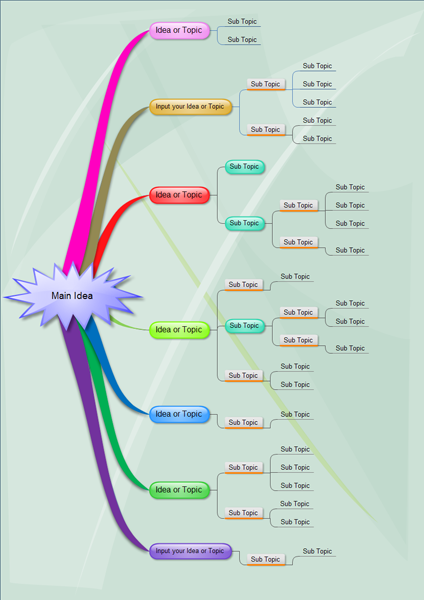
ตัวอย่างของการเขียนแผนผังความคิดด้วยฟรีแวร์ edraw mind map

Create mind maps (graphical representations of thought processes) for brain-storming, problem solving, rational analysis, and decision making.
Edraw Mind Map is a vector-based mind mapping application with rich examples and templates. Mind Map makes it easy to create basic flowcharts, mind maps, brain-storming diagrams and sketch maps.
ตัวอย่างของการเขียนแผนผังความคิดด้วยฟรีแวร์ edraw mind map

สมัครสมาชิก:
บทความ (Atom)