Review Thai Handwriting

Thai Handwrite is a free thai app to practice and learn how to write Thai alphabet for kids or adult who want to learn to write Thai alphabet by themselves at home or at school.
This app is available both for iOs and Android ,just go to play store and looking for Thai handwrite
.
To download and install is simple as usual and no hidden ads
After installation ,just open up and navigate for the simple UI
The menu to select are
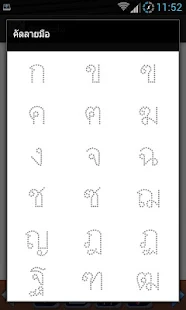
Thai alphabet ,when click will go to the first alphabet you can use hand to write along the dot of the letter or use the pen for more accuracy as well.
The app come with the audio to listen and repeat if you want to.
Thai number from zero to nine
To sum up
This app is simple and easy for beginner who looking for education app ,learning aids tool to learn Thai language from the first lesson in order to gain the skill enough to learn in the higher level.
Download Thai Handwriting 

Feature

  • Repeat writing 
  • Changeable fonts size
  • Changeable background and lines
  • Reading sound to memory 
  • Beautiful image 
  • Write with Stylus pen will be better.

คัดลายมือ Thai Handwriting - screenshot thumbnailคัดลายมือ Thai Handwriting - screenshot thumbnail

รีวิว Evernote

Evernote allow you to capture information in any environment using whatever device or platform you find most convenient, and makes this information accessible and searchable at any time, from anywhere. Use Evernote to jot notes, create to-do lists, clip entire Web pages, manage passwords, and record audio. Everything added to Evernote is automatically synchronized across platforms and devices and made searchable. Evernote will even recognize printed or handwritten text in photos and images.

Evernote ฟรีโปรแกรมสำหรับการบันทึก หรือการโน้ตข้อมูล บันทึกประชุม การสั่งงาน การสั่งการ จิปาถะ บันทึกเรือยเปือย ไปเรื่อยๆ ตามใจบันทึก หรือ รายการที่จะต้องทำ เป็นต้น

ความสามารถในการบันทึก ตั้งแต่การพิมพ์ การจดบันทึก บันทึกหน้าเพจ จัดการรหัสผ่าน และการอัดเสียง

จุดเด่นคือระบบ cloud ที่จะมีการซิงค์ให้ทุกรายการอัตโนมัติกับแม่ข่ายหรือ Server ที่ให้บริการฟรีครับ มั่นใจว่าข้อมูลของเราสามารถเข้าถึงหรือแชร์ง่ายๆ ให้กับคนที่ต้องการผ่าน cloud ได้แบบรวดเร็ว และเก็บสำรองไว้กันลืม กันหาย ได้อีกทางหนึ่ง

การดาวโหลด และการติดตั้งใช้งาน

ดาวโหลด Ever note

หลังจากนั้นติดตั้งโปรแกรม ทำตามขั้นตอนการ install สัก 4-5 คลิก ก็จะเรียบร้อย

ก่อนการใช้งาน จำเป็นต้อง ลงทะเบียนผู้ใช้งานด้วย emai; ของคุณ และกำหนดชื่อผู้ใช้งาน Account และ รหัสผ่าน

เริ่มการใช้งาน UI ที่ง่ายต่อการใช้งานครับ พื้นฐานคือการจดโน้ต จะเขียนเอง หรือ Copy แล้ว Paste ก็ไม่มีปัญหาครับ รองรับหมด

Note แบบกระดาษแปะธรรมดา

Ink note จะโน้ตหรือบันทึกเป็นแบบหน้าสมุด สำหรับปากกาจดแบบหน้าจอสัมผัส ก็น่าใช้งานได้ดีกว่า คล่องตัวกกว่า การใช้เม้าส์ลาก เขียนเป็นแน่

ข้อสรุป
ก็น่าสนใจดีตัวหนึ่ง การใช้งานก็ง่าย ชัดเจนดี เหมาะสำหรับสำนักงานยุคใหม่ ข้อจำกัดบางประการของรุ่นฟรี หากต้องการความสามารถที่มากกว่าและต้องการจริงๆ ก็สามารถลงทะเบียนเป็นรุ่นจ่ายเงินได้ ซึ่งจะมีความสามารถของแอพมากกว่าตัวฟรีครับ

สเปกย่อ 

Version: 5.1.2.2387
File Size: 56.56MB
Date Added: February 05, 2014
Price: Free
Operating Systems: Windows XP/Vista/7

สร้างแผ่นบู้ตด้วย Paragon Rescue Kit 14 Free Edition

ปัญหาการ Boot เครื่องวินโดว์ PC หรือ Linux ไม่ได้ สามารถเกิดขึ้นได้ประจำ และพบเห็นได้บ่อยๆ ซึ่งสามารถแก้ไขปัญหาได้ด้วยตัวเอง ตั้งแต่การกู้ระบบ การลบและลงโปรแรกมวินโดว์ใหม่ เป็นต้น
ทางเลือกของการกู้คืนระบบหรือการ Recovery Disk นับเป็นทางเลือกที่น่าสนใจและน่าใช้งาน โดยเราจะต้องมีแผ่น CD เปล่า หรือ USb Disk ในการทำงานด้วย
หลักการทำงานก็คือ สร้างแผ่นกู้คืนข้อมูลไว้เข้าใช้งานเวลาระบบหรือเครื่องมีปัญหา Boot ไม่ได้ จากไวรัสหรือลืมรหัสผ่านข้อมูล เป็นต้น
ซึ่งปัจจุปันก็มีฟรีแวร์ดีๆ  ที่น่าสนใจที่จะช่วยให้การสร้างแผ่นกู้ข้อมูลดังกล่าวของเราง่ายขึ้น และเร็วขึ้น โดยที่เราไม่จำเป็นต้องมีความรู้ความชำนาณในการเขียนรหัสโปรแกรมหรือภาษาคอมพิวเตอร์แต่อย่างใด
โดย Paragon Rescue Kit 14 Free Edition ถือเป็นโปรแกรมที่ให้ดาวโหลดมาใช้งานฟรีแบบ Personnel ไม่ใช่แบบ business ครับ
จุดเด่นของโปรแกรมคือ ง่ายต่อการดาวโหลดและการใช้งาน
การดาวโหลดมาแล้ว ไม่ต้อง set up โปรแกรม เพื่อการติดตั้งครับ แต่สามารถรันหรือทำงานได้ทันที่
จากเมนูหน้าจอสามารถเลือกการสร้างแผ่นกู้คืนวินโดว์ ได้ทันที
ในรูปแบบของคำแนะนำแบบเป็นขั้นตอนที่ง่ายต่อการเข้าใจ และปฏิบัติตาม
สามารถแก้ไขปัญหาในส่วนของการ Boot วินโดว์ที่พบบ่อยๆ ได้อย่างอัตโนมัติ และรวมถึงการลืม Password หรือรหัสผ่านการใช้งานด้วย
สเปกย่อ
Platforms: Windows 2000, Windows 7 (32 bit), Windows 7 (64 bit), Windows 8, Windows Server, Windows Vista (32 bit), Windows Vista (64 bit), Windows XP
Version: 11.0
Licence: Free, for personal-use only
Manufacturer: Paragon Software
Date Added: {ts '2014-07-21 14:44:00'}
ขนาดไฟล์ 299 MB
ดาวโหลด Paragon Rescue Kit 14
Paragon Rescue Kit 14 Free Edition

ฟรีดาวโหลด VLC Media Player Nightly 2.1.0

ปัจจุบันเราอยู่ในยุคของการบริโภคข้อมูลข่าวสาร ซึ่งมีมากมายก่ายกองบนโลกอินเตอร์เน็ต Internet ที่เราสามารถเข้าถึงและเรียกดูได้สะดวก ง่ายดาย รวดเร็ว ตลอดเวลา ทั้งภาพนิ่งและภาพเคลื่อนไหว 
สำหรับการทำไฟล์มีเดียหรือคลิปวีดีโอชนิดต่างๆ ปัจจุบันก็มีการผลิตและการแข่งขันออกมาหลายรูปแบบหลายนามสกุลและหลายชนิด แบบว่ามีทั้งที่เปิดดูบนคอมพิวเตอร์ บนมือถือ และบนเว็บ เป็นต้น 
ปัญหาที่คนเราอาจจะพบคือการเล่นไฟล์ที่แตกต่างและหลากหลายไม่ได้ จำเป็นต้องมีโปรแกรมเฉพาะที่ใช้งานในการเปิดดูหรือ View ไฟล์นั้นๆ ทำให้ยุ่งยากในการหาโปรแกรมมาเล่นไฟล์ให้ครบหรือลงในเครื่อง
ถือว่ายังดีที่มีค่ายพัฒนาโปรแกรมที่เล็งเห็นปัญหา คือค่าย Video Lan ได้พัฒนาโปรแกรมเล่นไฟล์มีเดียแบบ All in One ที่สามารถเล่นไฟล์ที่แตกต่างกันทั้งหมดด้วยตัวเอง และได้รับเสียงตอบรับ และมีการใช้งานจำนวนมากทั่วๆ ไป 
ทำให้โปรแกรมมีการปรับปรุงและพัฒนาต่อยอดตามลำดับ ด้วยความที่เป็นรหัสการพัฒนาแบบเปิดเผย หรือ Open Source ที่ผู้สนใจสามารถนำไปศึกษาและต่อยอดได้ โดยไม่มีค่าใช้จ่ายนั้นเอง 
สำหรับเวอร์ชั่นที่นำมาแนะนำกันในวันนี้ คือ VLC Media Player Nightly 2.1.0
โดยผู้สนใจต้องการโปรแรกมเล่นไฟล์แบบครบวงจรในตัวเดียว ก็สามารถที่จะดาวโหลดมาใช้งานได้ฟรีครับ 
โดยการดาวโหลดจะรองรับลิงค์ของ windows ,Mac เป็นต้น 
ซึ่งรองรับทั้งแบบ 32 บิต และ 64 บิต 
ดาวโหลด  VLC Media Player Nightly 2.1.0

ข้อมูลย่อโปรแกรม 
Platforms: Mac OS X, Windows 2000, Windows 7 (32 bit), Windows 7 (64 bit), Windows Vista (32 bit), Windows Vista (64 bit), Windows XP
Version: 1.3.0-git-20111227
Licence: Open Source
Manufacturer: VideoLAN (Nightlies)
Date Added: {ts '2012-08-14 11:52:00'}

Learn to read Thai with MANEE

The best android app to learn to read Thai ; MANEE is a little Thai girl name who is going to play important role in this story with the simple step to learn to read Thai. The book was used to be a book for Thai student in the primary school level in the past years by the education department authority of Thailand.

Now the book was renovate and remake as a reading app for smart phone like android and iPhone,so if you are a person who want to learn Thai from the truly basic step then I would recommend this useful app for you.

It does not a matter if you are an adult or little kids ,Thai or foreigner ,but if you want to or interest to learn Thai and looking for education app then don't for get to include this app on your choice.

This app really cool and awesome especially for the kids age 5-10 years .
Please be note that this app is focusing on Reading and Listening in Thai.
This app was designed for kids with the audio to play along so that the kids can listen and repeat after the audio as well.

This will benefit and help the kids or the learner to enjoy learning with fun and more understanding. In this story not only MANEE is the key actor ,but also interesting actors like PITI,CHOOJAI,and pets SITOUW,JAWKAE.

This is such a beautiful thai kids story that not only teach the language but also morality and intergity to the kids and the learner as well, so that they can grow up to be a good adult or a citizen of the social and the nation in the future.
App screenshot 
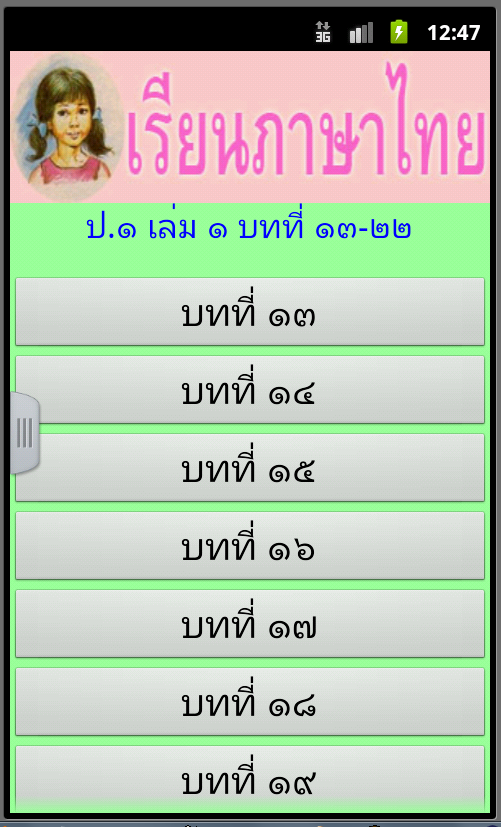
Notice the photo of MANEE who is a key actor of this lesson.
This app was divided into chapter from 13-22 
เรียนภาษาไทย มานี (มีเสียง) 2 - screenshot

แบบฝึกเรียนภาษาไทยนำมาจาก แบบเรียนภาษาไทยระดับประถมศึกษา ชั้นประถมปีที่ 1 ตามหลักสูตรประถมศึกษา 2521 ซึ่งเป็นหลักสูตรรุ่นเก่า แต่ก็ยังมีประโยชน์มากมายสำหรับท่านที่ต้องการสอนให้เด็กฝึกอ่านภาษาไทยตามขั้นตอน ซึ่งใน App จะเป็นเนื้อหาพร้อมเสียงอ่านประกอบในแต่ละบท ซึ่งอยู่ระหว่างรวมรวมเนื้อหาให้ครบทุกบท

เหมาะสำหรับเด็ก และผู้ที่สนใจที่จะเรียนรู้ ฝึกอ่าน ภาษาไทย และสำหรับท่านที่ระลึกความหลังถึงมานี มานะ ชูใจ สีเทา ปิติ เจ้าแก่ รวมถึงเรื่องราวที่ถ่ายทอดได้น่ารัก น่าติดตาม ทำให้เราเรียนรู้ อย่างเพลิดเพลิน

Download Nemo Most common speak Thai phrases

Learn to speak common Thai word and phrases everyday by Nemo ภาษาไทย

This app was designed to help the learner to learn speak Thai common words and phrases easily by providing the native Thai voice in audio file with the text to repeat after listening the sound
All audio file will be downloaded and stored in your computer or mobile so the users can use the app both in offline and airplane mode.
Improve your Thai pronunciation from the sound studio template with ability to record your own voice and sound to compare with the Thai native speaker one and try again ,that all you will surprise with your good Thai accent and pronunciation.
Thai app is not a lesson but is was designed to be use in any situation and whenever on free time available
No need to have a knowledge or Thai language before.
The app menu can select to be Thai or different 10 languages

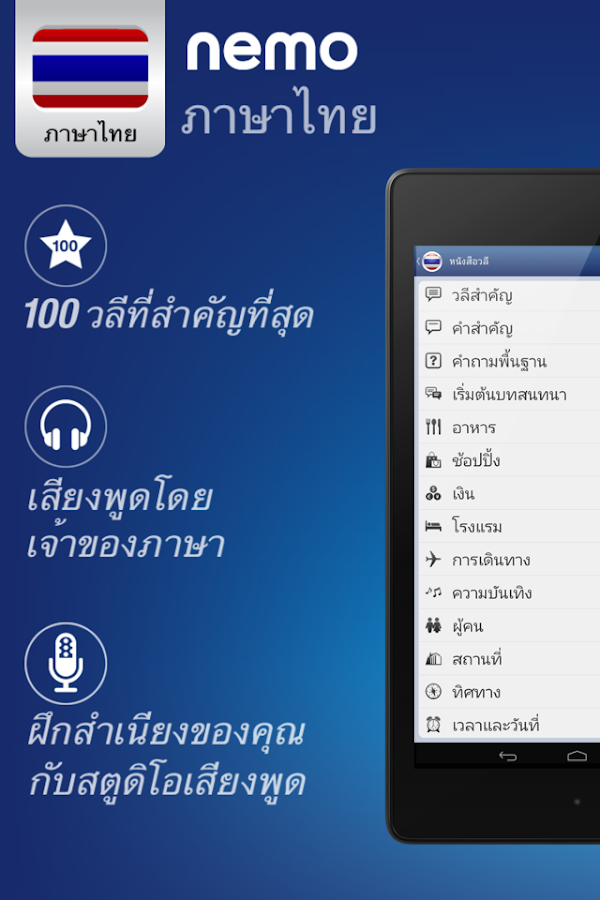
Nemo app provide only the popular and common use in daily life .In the app you will see the most 10 common Thai phrases that you need to know , Most common 50 Thai phrases and first 100 phrase you supposed to learn and know . This app will give you the basic skill to learn Thai for the beginner to rapidly learn Thai . For those who in the intermediate level can step up to the advance level in the business and tourism . This app will help the learners to be able to learn speak Thai with in one month .In addition the advance learner can select to use this app as a learning tool to help correct and enhance the pronunciation more accuracy.

Because the user can create vocabulary card by themselves ,so this options allow you to make your own set vocabulary to focus on the intense of each day and allow to open review mode which will be the summarize all of the studied vocabulary from the past learning in order to stimulate your brain memories.

Escape a way from the routine work and enjoy with this friendly speaking Thai app
Enhance the skill of Thai number ,verbs and sentences

Thai language is an officially language for Thailand that use widely across and throughout the country in Phuket island, Pa-ngun island ,Pattaya ,Chieangmai and PP etc.
This app allow uses to select language option in Thai or Roman or both

Let sum up.

This app will be your personal Thai friend speaker who you can learn from him everywhere and whenever you want to. Make more friends with this app and enjoy visiting Thailand.


Download Nemo 
ภาษาไทย สำหรับคนไทยที่สนใจแนะนำแอพนี้ให้กับเพื่อนๆ หรือครอบครัว

Nemo นำเสนอเฉพาะคำศัพท์และวลีที่นิยมใช้กันบ่อยๆ ในการสนทนา เราได้พัฒนารายการคำศัพท์ “10 วลีแรกที่คุณต้องรู้” “50 วลีแรกที่คุณต้องรู้” และ “100 วลีแรกที่คุณต้องรู้” เป็นการปูพื้นฐานคำศัพท์ที่จำเป็น เพื่อให้ผู้เริ่มต้นเรียนภาษาเรียนรู้ได้อย่างรวดเร็ว ในขณะที่ผู้เรียนซึ่งมีทักษะอยู่ในระดับกลางสามารถก้าวขึ้นไปเรียนรู้กลุ่มคำศัพท์ที่ใช้บ่อยสำหรับการท่องเที่ยวและธุรกิจได้ ซึ่งจะช่วยให้พวกเขาสามารถเริ่มต้นสนทนาเป็นภาษาไทยได้ภายในหนึ่งเดือน ส่วนผู้เรียนที่มีทักษะอยู่ในระดับสูงแล้วสามารถเลือกใช้สตูดิโอเสียงพูดซึ่งเป็นเทคโนโลยีที่จะช่วยแก้ไขสำเนียงการออกเสียงของผู้เรียนให้ถูกต้องยิ่งขึ้น

เนื่องจากคุณสามารถกำหนดบัตรคำศัพท์ที่คุณชื่นชอบได้ ดังนั้นจึงสามารถสร้างสำรับบัตรคำศัพท์ของคุณเอง เพื่อให้คุณสามารถมุ่งเน้นเรียนรู้ชุดคำศัพท์ดังกล่าวในแต่ละวันได้ และคุณยังสามารถเปิดโหมดการทบทวน ซึ่งจะสรุปรวบยอดรายการคำศัพท์ทั้งหมดที่คุณได้ฝึกฝนมาในวันนั้น เพื่อกระตุ้นการจดจำของคุณ
Nemo ภาษาไทย - screenshot

สเปกคอมพิวเตอร์ประกอบเองราคาประหยัดสุดๆ

จัดสเปคชื้อคอมพิวเตอร์ PC แบบประหยัดงบประมาณ ในราคาไม่เกิน 9000 บาท โดยเป็นการจัดซื้อแบบเลือกอุปกรณ์ที่ละอย่างมาประกอบเอง หรือจะให้ร้านค้าประกอบให้ก็ได้ครับ สำหรับราคานี้รวมจอภาพ LED 18 นิ้ว ด้วยนะครับ
สำหรับสเปกและราคา ก็คือเอาแบบว่าถูกที่สุด ประหยัดที่สุด สำหรับคนที่มีงบน้อยหรือว่าไม่ต้องการอะไรมาก แค่ใช้งานพิมพ์งาน Word,Excel ,PowerPoint เล่นอินเตอร์เน็ต เล่นเกมส์ออนไลน์เบาๆ ครับ
อุปกรณ์หรือ Part ที่จำเป็นในการประกอบคอมพิวเตอร์ราคาประหยัดครับ


  • Cpu Intel 1155 Celeron G1620 2.7 Ghz ราคา 1,250 บาท
  • Mainboard 1155 Biostar H61mgv3 ราคา 1,090 บาท
  • 2 Gb Ram Computer Pc Ddr3/1333 Kingston ราคา 770 บาท
  • 500 Gb Hdd Toshiba Sata-3 32mb ราคา 1560 บาท 
  • เคส Case Cougar Spike ราคา 990 บาท
  • จอภาพ 18.5" Led Acer G196hqlbd  ราคา 2750 บาท

รวมราคา 8410 บาท
Note: ราคานี้ไม่รวม Drive อ่านแผ่น CD/DVD ด้วยนะครับ เพราะผมคิดว่าไม่จำเป็นและประหยัดค่าใช้จ่าย และนิยมใช้ USB ไดร์ฟ มากกว่า เพราะง่ายและสะดวกในการบันทึกและการพกพา ราคาก็ไม่แพง ซึ่งสามารถซื้อหามาใช้งานในภายหลังได้

สำหรับการ์ดจอแยก ไม่มี เพราะใช้การ์ดจอแบบ On Board ซึ่งเพียงพอต่อการทำงานและแสดงผล ในการพิมพ์งาน และท่องเน็ต เล่นเกมส์ออนไลน์เบาๆ

ส่วนการลงโปรแกรมวินโดว์ ก็สามารถให้ร้านลงให้ได้ หรือใครที่อยากลงเองก็ให้เขาประกอบให้อย่างเดียว และมาลงเอง โดยอาจจะใช้การลงผ่าน USB ไดร์ฟ ก็ได้ครับ

เอาเป็นว่าใครที่ไม่แน่ใจหรือไม่ต้องการยุ่งยาก ก็ให้ทางร้านเขาประกอบและลงโปรแกรมให้เลยครับ ปกติแล้วตามร้านใหญ่ๆ ตามห้างเซียร์ รังสิต หรือห้างพันทิพ เขาจะบริการประกอบและลงโปรแกรมให้ด้วยอยู่แล้ว ครับ หรืออาจจะต่อรองลดราคาลงไปอีกหน่อย สัก 200-300 ร้อย ก็เป็นไปได้ครับ ขึ้นอยู่กับการเจรจาต่อรองของเรา เป็นหลัก
Note: ราคานี้ยังไม่มีอุปกรณ์ นำเข้าข้อมูล และควบคุมการใช้งาน แป้นพิมพ์ และ เม้าส์ครับ อาจจะหาใช้ของเก่ามือสอง หรือจะซื้อใหม่ก็น่าจะเพิ่มอีกประมาณ ไม่เกิน 500 บาทครับ

สำหรับคอมใหม่ราคาไม่เกิน 9000 บาท เอาอยู่ก็ประมาณนี้ครับ ใครที่คิดว่ายังแพงไป อยากได้ที่มันถูกมาหน่อย แนะนำก็ทำได้ครับ หาซื้อจอ LED มือสองในราคาประมาณ 1200-1500 บาท  ก็จะลดลงไปได้อีกปะมาณ พันกว่าบาท หรือใครที่มีงบไม่เกิน 5000 บาท ก็สามารถลองมองหาคอม PC ที่ตกรุ่นแล้วและเป็นของมือสองมาใช้งานก็ทำได้เช่นกัน แต่ว่าการรับประกันอุปกรณ์ หรือความเสี่ยงที่จะชำรุดหรือใช้งานไม่ได้ก็จะมีมากกว่า อุปกรณ์ประกอบใหม่ทั้งหมดครับ เรียกว่าถ้าคุณไม่ใช่ช่างหรือผู้ชำนาณเรื่องคอมพิวเตอร์จริงๆ แล้ว ผมก็ไม่แนะนำครับ